

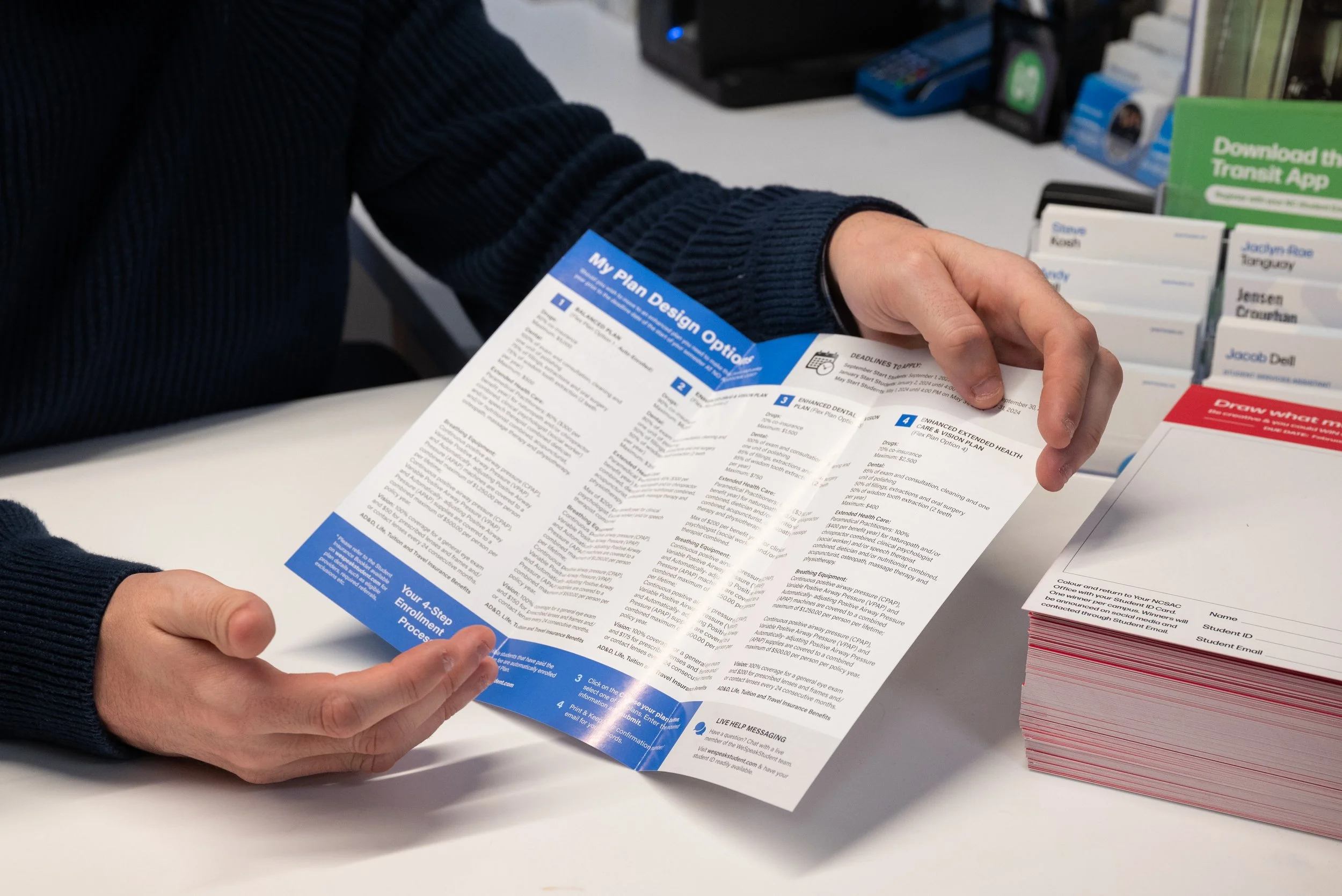
Want to learn everything about your Domestic Student Health Plan?
Powered in partnership with our friends at Alumo.
* Please note: Our Health Plans are for Domestic Students Only *
Are you an International Student? Click the button below
Your Plan Design Options
Option 1:
Balanced Plan (Auto Enrolled)
Option 2:
Enhanced Drug & Vision Plan
Option 3:
Extended Dental & Vision
Plan
Option 4:
Enhanced Extended Health Care & Vision Plan
Read More Details Below
Download NCASC Sponsored Student Benefits Booklet
& Alumo Benefit Card
Important Dates: Fall ‘26
Semester Start & Opt Out
Semester Start Date:
September 1st, 2026
Opt - Out Deadline:
September 30th, 2026
Part-Time, Co-op, and Out of Sync
Opt IN Deadline:
October 28th, 2026
Please contact NCSAC to check your eligibility to opt-in!
Opting Out or changing your plan?
Click the button below to either opt out (only online) or change your plan!
Blackout
Period:
Please be advised that there is a blackout period at the start of each term while student health plan enrolments are being processed. During this time, your coverage is active, but claims cannot be processed until the blackout period ends.
Once the blackout period is over, any eligible expenses incurred during this time can be submitted for reimbursement.
Blackout Periods:
September Start Students: From September 1st - October 10th
January Start Students: From January 1st - February 10th
May Start Students: From May 1st - June 10th
For updates on the blackout period or to check coverage details, please contact sacreception-wc@niagaracollege.ca (Welland Campus) or sacreception-nl@niagaracollege.ca (NOTL Campus).
How to Make a Claim:
All Prescription Drug, Dental, Extended Health and Vision claims for the 2025/2026 benefit year must be mailed to ClaimSecure no later than November 30th, 2026. If you have already created an eProfile, you may continue to access the eClaims profile to submit your claims incurred up to August 31, 2026 until November 30th, 2026. For ClaimSecure click here, otherwise, please include your receipts and/or necessary documentation with all submissions by mail to ClaimSecure Inc., P.O Box 6500, Station A, Sudbury, ON P3A 5N5. Should you have questions, email info@alumo.ca
*** This is for Summer 2026 students only***
Frequently Asked Questions
Have a question we didn’t answer?
-
Although you are registered as a full-time student, you may NOT be covered!Co-op terms and program start dates may affect your coverage. Please contact the Student Benefits Coordinator at your NCSAC office to determine your eligibility.
Part-time students are not automatically covered but may be eligible to opt-in if enrolled in at least 9 credits. Please visit your NCSAC office to determine your eligibility and fill out the opt-in form.
The deadline to opt-in for students on co-op term, part-time, and out-of-sync* is on the following dates:
· Fall term: October 28th, 2026
· Winter term: February 25th , 2027
· Spring term: June 28th , 2027
*An out-of-sync student is a student currently out of sequence with their academic cohort due to having deferred or repeated a semester. As a result, they are not automatically enrolled in the student health benefits plan and must manually opt in to maintain coverage.
-
Fall start students: September 1, 2026, to August 31, 2027
Winter start students: January 1, 2027 to August 31, 2027
Spring start students: May 1, 2027 to August 31, 2027
-
You may decline coverage for the Health and Dental benefits by completing the online opt-out application. The opt-out deadline is September 30, 2026 at 4:00 pm for September start programs or January 31, 2027 at 4:00 pm for January start programs or May 31, 2027 at 4:00 pm for May start programs. Please be aware that these deadline dates will not be extended.
You must provide proof of similar coverage elsewhere (ie. as a dependant under your parent’s or spouse’s insurance).
Please go to www.alumo.ca to complete your online opt-out application. Opt out refunds will be credited to the student's account no later than November 1, 2026 for fall start students, March 1, 2027 for winter start students, and June 30, 2027 for spring/summer start students.Please go to alumno.ca to complete your online opt-out application. Opt out refunds will be credited to the student's account no later than November 1, 2026 for Fall start students, March 1, 2027 for Winter start students, and June 30, 2027 for Spring start students.
-
Your student identification card may be used at any participating provider (pharmacist or dentist) across Canada, and payment of eligible claims will be honored. To fill a prescription drug or dental claim, you will need to supply the pharmacist/dentist with the following information:
Group policy number: 181892
Drug Carrier: 34 (ASSURE)
Dental CARRIER: 000034
Your Certificate: Your Student ID (without leading zeros)
At this point, you will be required to pay the deductible amount of your claim if necessary.
-
Be aware that when making a claim under this benefit, which also includes your vision coverage, you will need to pay 100% of the cost up front and submit a manual claim directly to the Benefits app for reimbursement. Extended Health Care claim forms will also be available at www.alumo.ca.
-
Go to the www.alumo.ca website, select File a Claim or How to Claim, and look for the “Download the Alumo Benefits App” section and click “Web Registration” or, “Download on the app”, and follow the steps to register.
1. To register, enter your student ID without letters or leading zeros as the certificate number and the group number. To find your group number, visit www.alumo.ca. Select your school, student association or union, and the website will open in a new tab. Scroll to the bottom footer where the group number is displayed. You may click Need more Help. Next, enter your last name, postal code, and date of birth. Make sure your date of birth and last name match the school records.
2. Create a unique username and enter your e-mail address. Create a password following the guidelines on the page and enter it in both the Password and Confirm password fields. Now that the enrollment form is completed, click the Register button at the bottom to submit your registration. Take a moment to read through the terms and conditions, then click I Agree to continue. Check your e-mail for the security code needed to complete your registration.
3. Log in to set up your account.
4. Enter your mailing address for contact and documentation purposes to ensure accurate processing of your claims and payments. Your account is fully set up. You can now check your coverage balance and stay informed with our health solutions and resources.
-
YES. Once registered, plan members can submit claims electronically if you select direct deposit for claim reimbursements. View personal claims history directly on the Benefits app.
-
-
Students with band status who wish to opt-out must submit their opt-out application before the deadline (please refer to the Important Dates section). Provide your proof of alternative insurance by entering the following information:
Your Native Status as your provider
Your Band Number as your policy
Your Name as your primary subscriber
-
Students who are covered by ODSP may opt out by providing the following information as proof of alternative insurance:
Insurer: ODSP
Policy number: Your 9-digit ODSP member ID
Primary subscriber: Your name
-
The student health plan is only offered to eligible students. Unfortunately, there is no option to add any dependents.
-
Contact your NCSAC office to check your eligibility or to confirm if you have been enrolled in the health plan.
During the blackout period at the start of the term, students won’t be able to access the online claims submission. You may try logging in or creating a profile after the blackout period is over.
If you have confirmed that you are enrolled in the health plan, but you are having trouble logging in or creating a profile after the blackout period, please contact Alumo directly at 905-346-1667.
-
If you are out of the province or country and you have an accident that requires immediate, necessary medical treatment or you need to obtain a prescription from a qualified physician, you will be required to pay the amount owing at that time yourself and keep all receipts for reimbursement.
When you return to the province, you are then required to fill out a manual reimbursement claim form and send it to ClaimSecure (Prescription drug) or Industrial Alliance Insurance and Financial Services Inc. (Accident claim) with the receipts to receive your money back. Please note that you will be reimbursed according to the benefits set up under your health insurance plan no matter where the accident has occurred or where you obtained the prescription.
There is no provision for worldwide coverage for the Dental and EHC benefits as these plans only allow Canadian dentists and practitioners. When travelling outside of Canada, you have coverage administered by AIG out of country coverage, through GLOBAL EXCEL. As this coverage is outside of the standard student health plan benefits, please contact your NCSAC Office on campus for further details on this coverage and pick up your Medical Assistance Card.